 iLuvAccounting · iOS & Android
Get weirdly good at money.
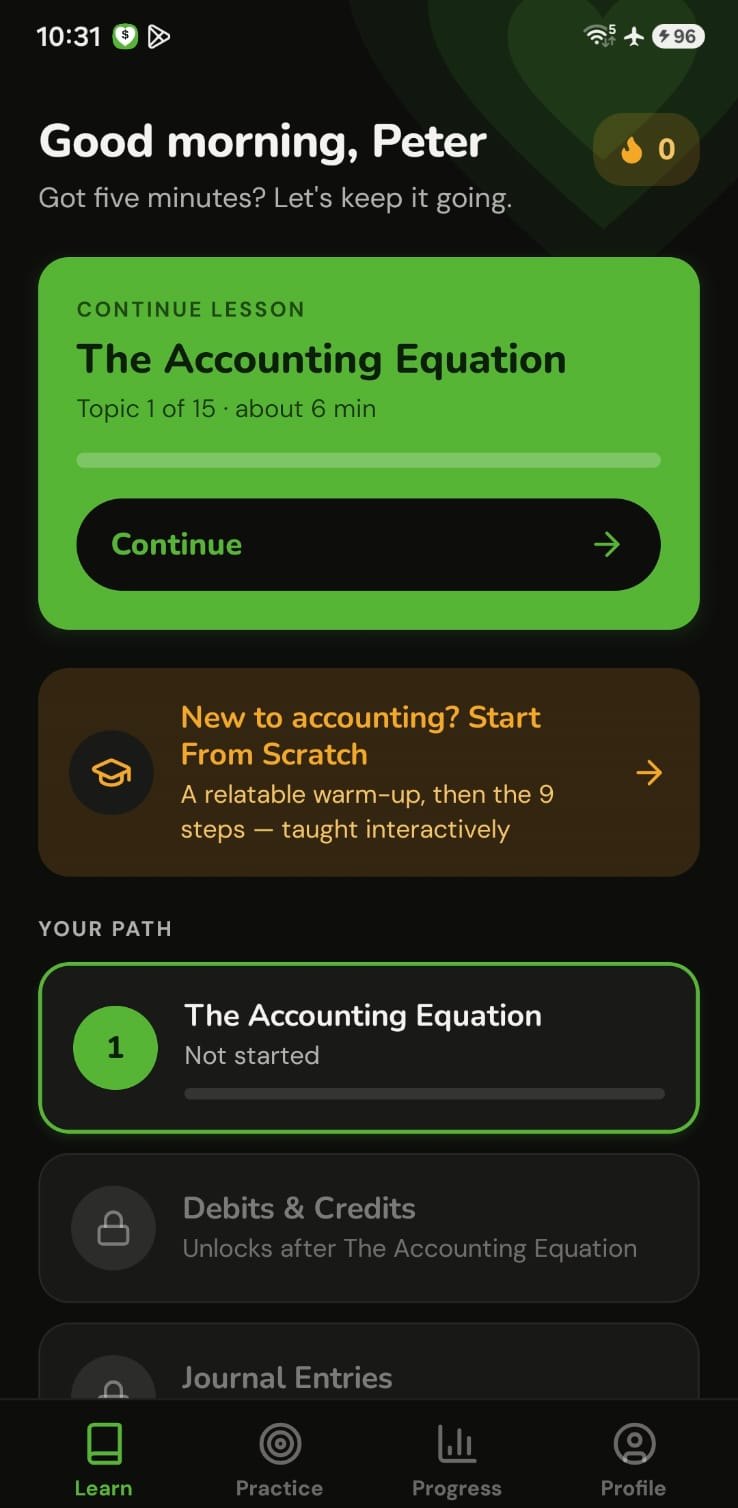
Accounting basics in five minutes a day. An 11-lesson interactive course, 600 practice questions and a 15-topic path that take you from zero to balance sheet — written in the same plain English I use in my classroom. No jargon, and it works offline.

Reading teaches you the idea. Practice makes it yours.
A few minutes a day is enough.
Five questions, scaled to your rank, with a daily XP bonus for clearing them. Optional reminders and a late-day streak nudge run right on your phone — no account needed.
Know why — not just what.
Every question comes with a plain-English explanation of the right answer, and why each wrong answer is wrong. It’s the conversation you’d have with me after class.
Review time, never wasted.
Every question you get wrong comes back — again and again — until you’ve mastered it. Accuracy and mastery are tracked for every topic, so review time goes exactly where you need it.
New to accounting? Start here.
An 11-lesson interactive course through the full 9-step accounting cycle — with visual T-accounts, journal-entry diagrams, and hands-on matching and ordering exercises.
Milestones worth celebrating.
Earn XP and climb seven ranks — and the top one takes real topic mastery, not just grinding. Badges mark your streaks, mastered topics and finished courses.
Fifteen topics. One clear path.
Each topic opens with a bite-sized tutorial, then Level 1 and Level 2 quizzes — 30 quiz sets and 600 questions in all, every one explained in plain English. Topics unlock in order, so you never skip the foundation the next idea is built on.
The same sequence as the textbook — so the app, the Academy and the book all move in step.

“I wrote every question the way I explain it in my classroom. If you can give it five minutes a day, I can get you to the point where the numbers finally make sense.”
Questions, answered.
Do I need any accounting background?
None. The app starts at the very first idea — that every transaction has two sides — and builds from there.
Do I need a Tools Club or Academy membership?
No. The app stands on its own.
Will it send me notifications?
Only if you turn them on. Reminders run locally on your phone and nothing about your usage is sent anywhere.
Do I need to sign in?
No. The app works fully offline without an account. An optional email sign-in just personalises your greetings. You can also switch between light and dark mode and turn sound effects on or off.
Can I share it with a friend?
Yes — share your referral code from the Rewards Hub. When your friend redeems it, you both earn XP.
What comes after the app?
The free mini-courses, the Academy’s full accounting-cycle course and the 13-chapter Northrose textbook all follow the same method.